N64 (Nintendo 64)
Nintendo 64 (N64)
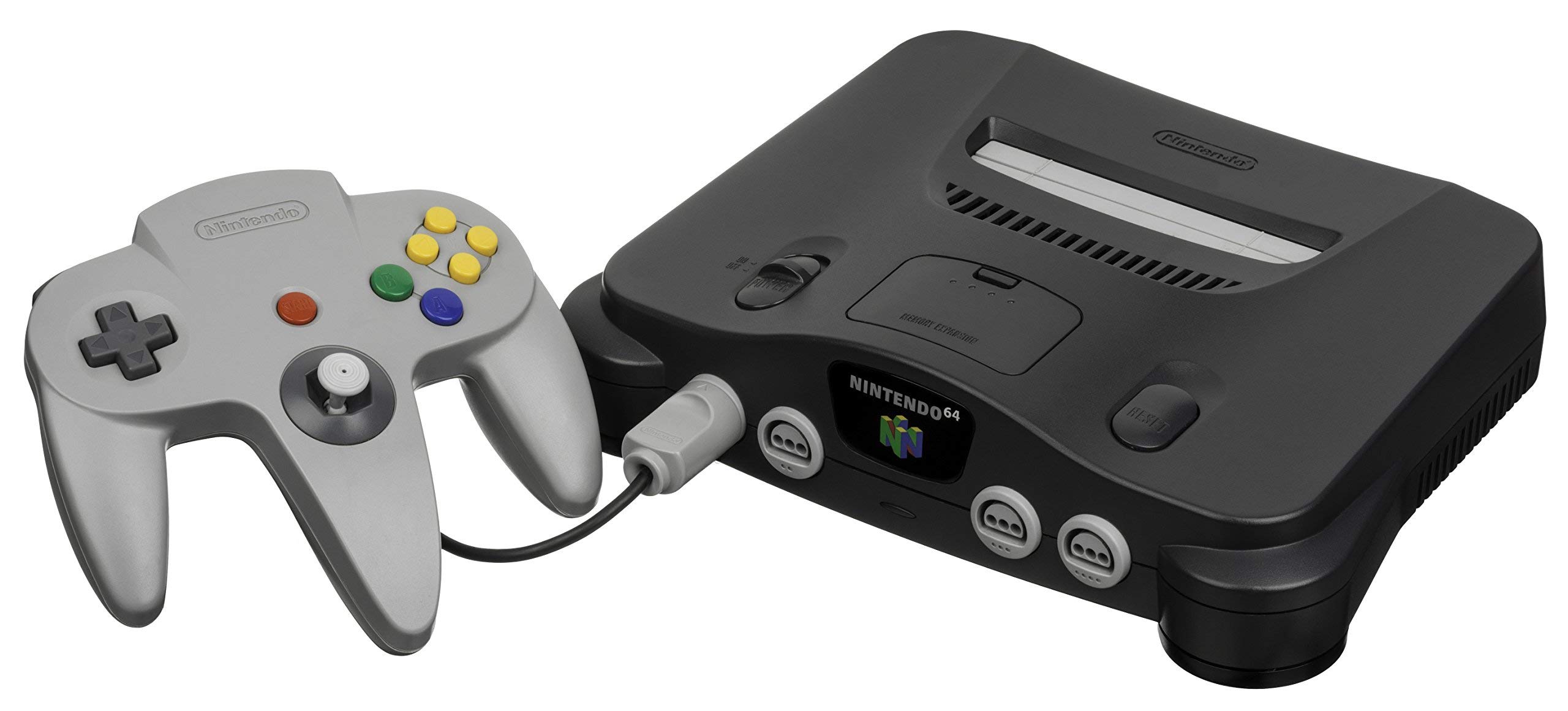
The console that ushered in the 3D revolution. Released in 1996, the Nintendo 64 pioneered true 3D environments, introduced the modern analog stick, and made 4-player local multiplayer a standard. With Rec0m88, you can play retro games from the 64-bit era natively on your desktop, complete with high-resolution upscaling, modern dual-analog controller support, and seamless P2P netplay.
A Library That Redefined Gaming
The N64 didn’t just have games; it had blueprints for the future of the medium. When you play N64 games online today, you are experiencing the birth of 3D camera control, Z-targeting, and console first-person shooters.
Pioneering Single Player
Super Mario 64 taught the world how to navigate a 3D space with an analog stick. The Legend of Zelda: Ocarina of Time and Majora’s Mask introduced lock-on targeting and context-sensitive buttons. Rareware dominated the platforming space with masterpieces like Banjo-Kazooie and Conker’s Bad Fur Day, while Star Fox 64 made cinematic, voice-acted rail shooters the standard.
The 4-Player Revolution (Netplay)
Because the N64 featured four controller ports on the front of the console, developers focused heavily on party and versus games. With Rec0m88’s rollback netplay, you can easily host 4-player lobbies for Mario Kart 64, Super Smash Bros., Mario Party 1-3, and the legendary deathmatches of GoldenEye 007 and Perfect Dark. Distance is no longer an excuse.
Most Popular N64 Games
How to Play N64 Games Online with Rec0m88
Setting up an N64 emulator used to mean juggling endless graphic plugins and input wrappers. Rec0m88 automates the entire process so you can just play.
Grab the free desktop client. It’s a lightweight shell that handles the heavy emulation lifting locally on your machine.
Go to settings and map your modern dual-analog pad. We recommend mapping the N64’s yellow “C-Buttons” to your Right Analog Stick.
Drag and drop your game file directly into the app window, or build a beautiful library using our free Catalog Organizer tool.
Open the netplay menu, add your name, click Create Room, and share the password (if used) with your friends to play N64 games together over the internet.
N64 Emulation FAQ
Do I need an Expansion Pak BIOS?
No. You do not need to download a BIOS or Expansion Pak file. The Rec0m88 emulation core automatically simulates the presence of the 8MB Expansion Pak for any game that requests it, such as Majora’s Mask or Donkey Kong 64.
How do I map the weird N64 controller?
The N64’s trident design can be tricky. On modern controllers (Xbox/PlayStation), we highly recommend mapping the N64’s Analog Stick to your Left Stick, the A and B buttons to your face buttons (A/X and B/Square), and the four C-Buttons to your Right Analog Stick.
Does 4-player netplay actually work?
Yes. Our P2P WebRTC architecture allows up to 4 players to connect to a single host. Because it uses rollback technology, you can play retro games online like Smash Bros and Mario Kart with friends across the country with minimal input delay. All players must have the exact same ROM version.
Why do some games look blurry?
The original N64 hardware applied a heavy hardware anti-aliasing filter that made games look “smudged” on purpose to blend low-resolution textures. Rec0m88 allows you to upscale the internal resolution to 1080p or higher, which dramatically sharpens 3D models and text.
Ready to play? Download Rec0m88 free and experience the N64 library in high-definition today.