TurboGrafx-16
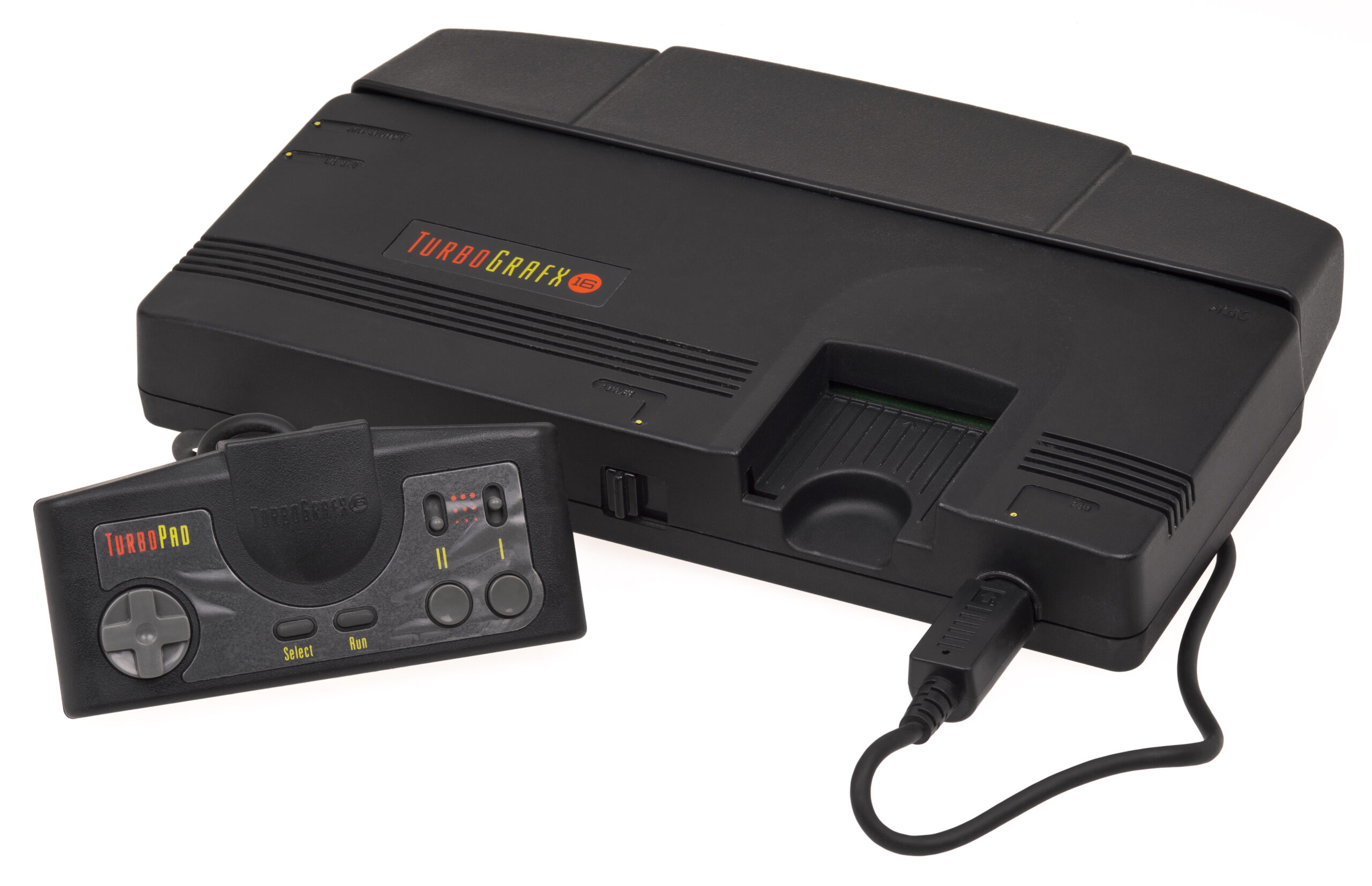
TurboGrafx-16 (PC Engine)
The 16-bit graphics powerhouse with an 8-bit heart. Released in Japan in 1987 as the PC Engine and in North America in 1989, the TurboGrafx-16 revolutionized gaming with its sleek HuCards and pioneered the CD-ROM format. With Rec0m88, you can play retro games from both the standard and CD libraries natively on your desktop, complete with fast loading times, CRT shader support, and lag-free netplay.
Arcade Perfection at Home
The system became legendary for housing some of the best scrolling shooters (shmups) and action platformers of its era, as well as being the first console to successfully utilize CD audio and voice acting.
Definitive Masterpieces
The mascot Bonk’s Adventure defined the system’s early days, while Castlevania: Rondo of Blood (a Super CD-ROM² exclusive) is widely considered one of the greatest games in the franchise. The console is a goldmine for shooters like Blazing Lazers, R-Type, and Lords of Thunder, alongside pinball classics like Alien Crush and Devil’s Crush.
The Multiplayer King
Before the N64, the TG-16 was the party console thanks to the Multitap adapter. With Rec0m88’s WebRTC rollback netplay, you can easily host matches of Bomberman ’93 or Bomberman ’94, which support up to 5 players for chaotic, friendship-ruining fun online with practically zero latency.
Most Popular TurboGrafx-16 Games
How to Play TG-16 / PCE Games on Rec0m88
Rec0m88 unifies the disparate HuCard and CD-ROM libraries into one seamless desktop experience.
Grab the free desktop client. It’s a lightweight GUI frontend that handles all the emulation processes instantly on your machine.
Use the free Game Library Organizer to scan your ROM folder. It fetches Japanese and US box art and metadata, exporting a clean catalog file.
Import your exported Catalog, or drag-and-drop individual files directly into the app window. (For CD games, ensure syscard3.pce is in your BIOS folder).
Map your controller, enable CRT shaders for that arcade feel, and use the Netplay menu to host a room for epic Bomberman matches.
TurboGrafx-16 Emulation FAQ
What is the difference between PC Engine and TurboGrafx-16?
They are the exact same hardware. PC Engine was the original Japanese release, and TurboGrafx-16 was the rebranded North American version. Rec0m88 plays ROMs from both regions seamlessly without requiring region-switching.
Do I need a BIOS file?
Standard HuCard games (.pce files) do not require a BIOS. However, if you want to play CD-ROM² or Super CD-ROM² titles (like Castlevania: Rondo of Blood), you must place the syscard3.pce file into your Rec0m88 bios directory.
What is the best format for CD games?
We highly recommend converting your .cue / .bin CD games into the .chd format. It compresses the game size significantly without losing any data or audio quality, and loads instantly in Rec0m88.
Can I play Bomberman online?
Yes! Rec0m88 features WebRTC netplay. You can host a room, share your Room ID, and play multiplayer titles like Bomberman ’93 and ’94 over the internet with your friends. Both players just need to have the exact same ROM file.
Ready to play? Download Rec0m88 free and experience the PC Engine library today.