NDS (Nintendo DS)
Nintendo DS (NDS)
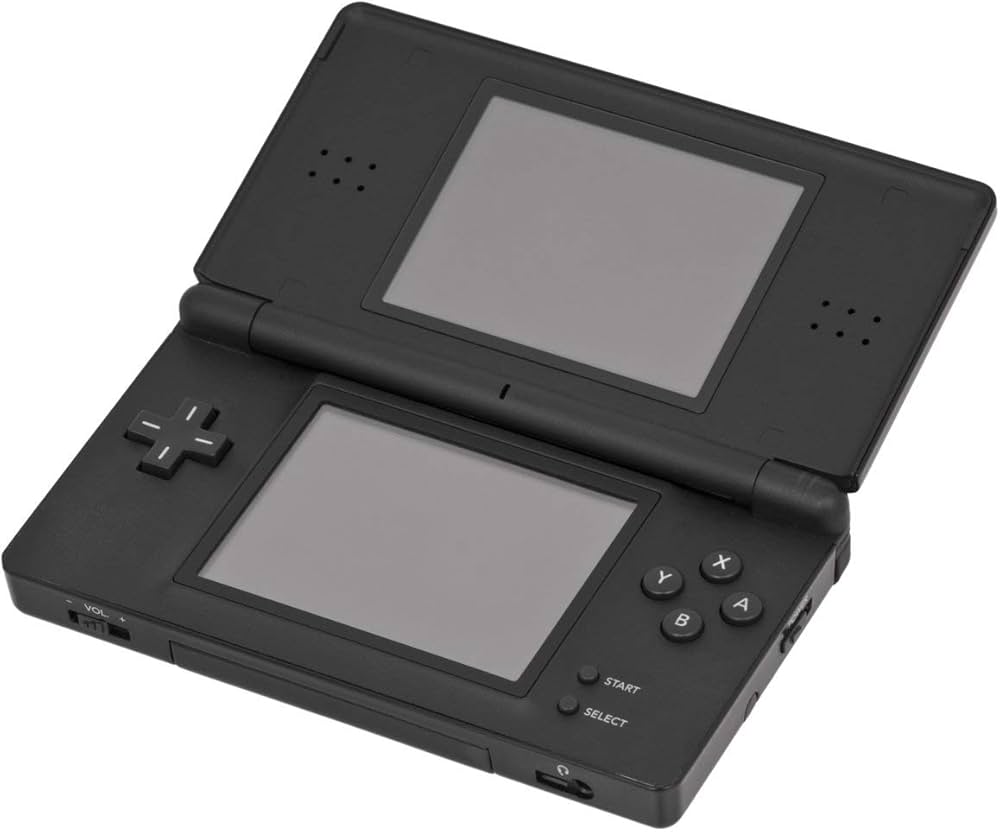
The best-selling handheld console of all time. Released in 2004, the Nintendo DS revolutionized gaming with its dual screens, touch interface, and built-in microphone, paving the way for modern mobile gaming while delivering some of the greatest Nintendo classics ever made. With Rec0m88, you can play retro games from the massive DS library on your desktop, using your mouse for touch controls, customizable screen layouts, and seamless netplay.
A Touch of Genius
The Nintendo DS brought gaming to a massive new audience with intuitive touch controls, while simultaneously delivering some of the deepest RPGs and platformers ever crafted for core gamers.
The RPG Juggernaut
The DS is legendary for its JRPG library. It hosts arguably the best Pokémon games ever made (HeartGold / SoulSilver, Black / White), masterpieces like Chrono Trigger DS, and Square Enix marvels like The World Ends With You and Dragon Quest IX. It’s also the home of the Phoenix Wright: Ace Attorney and Professor Layton series.
Wireless Netplay
The original console heavily utilized local wireless. Rec0m88 translates this into internet netplay. You can trade Pokémon with your friends or hit the tracks in Mario Kart DS as if you were sitting in the same room.
Most Popular Nintendo DS Games
How to Play Nintendo DS Games Online with Rec0m88
Dual screens and touch controls translate perfectly to your PC with a few simple clicks.
Grab the free desktop client. It’s a lightweight GUI frontend that handles all the heavy MelonDS emulation locally on your machine.
While not strictly required for all games, placing the DS BIOS and firmware files into your Rec0m88 bios folder ensures maximum compatibility.
Drag your .nds file into the app. Open the video settings to choose how you want the dual screens displayed (Vertical, Horizontal, or Single Screen Swap).
Open the netplay menu, add your name, click Create Room, and share the password (if used) with your friends to play Nintendo DS games together over the internet.
Nintendo DS Emulation FAQ
How do I use the touch screen?
Your computer mouse acts as the DS stylus. Simply click and drag on the bottom screen area of the emulator. If you are using a tablet or touch-enabled monitor, you can literally touch the screen just like the original hardware.
How do I arrange the two screens?
By default, the screens are stacked vertically just like the console. However, on widescreen PC monitors, you can go to Core Options > Screen Layout and change it to “Left/Right” or make one screen huge and the other one small in the corner.
What if a game requires blowing into the microphone?
Games like Zelda: Phantom Hourglass or Nintendogs require microphone input. In the Rec0m88 input settings, there is a dedicated “Microphone Noise” button you can map to your controller or keyboard. Pressing this simulates blowing into the mic.
Do I absolutely need the BIOS files?
MelonDS has a built-in High-Level Emulator (HLE) for the BIOS, meaning most games will boot just fine without providing any files. However, if a game crashes, or if you want to use the original DS boot menu and Wi-Fi features, the official bios7.bin, bios9.bin, and firmware.bin files are required.
Ready to play? Download Rec0m88 free and relive the dual-screen revolution today.