MAME (Multiple Arcade Machine Emulator)
MAME & Arcade
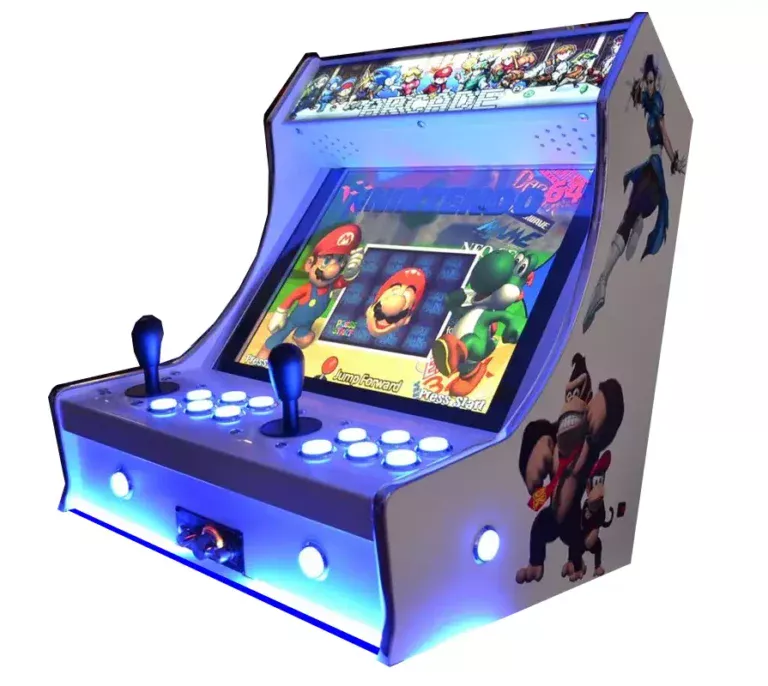
The ultimate preservation project. MAME (Multiple Arcade Machine Emulator) brings the golden age of coin-op cabinets directly to your screen. From the neon-lit 80s to the competitive fighting game boom of the 90s, arcade hardware always represented the bleeding edge of gaming tech. With Rec0m88, you can play retro games from thousands of legendary arcade boards with perfect accuracy, scanline shaders, and flawless multiplayer netplay without ever needing a quarter.
The Golden Age of Coin-Op
Arcade games were designed to be visually stunning, relentlessly difficult, and intensely social. From the maze games of the early 80s to the 4-player beat ’em up cabinets of the 90s, MAME preserves gaming history.
The Masters of the Cabinet
Capcom dominated the 90s with the Street Fighter II series, Marvel vs. Capcom, and legendary beat ’em ups like Alien vs. Predator and Cadillacs and Dinosaurs. SNK’s Neo Geo board gave us pixel-art perfection with Metal Slug and The King of Fighters.
Insert Coin to Join
Arcades were the original multiplayer hub. With Rec0m88’s integrated WebRTC rollback netplay, you can recreate the magic of a 4-player Teenage Mutant Ninja Turtles or The Simpsons cabinet. Just host a room, share the ID, and your friends can drop their own virtual quarters from across the globe.
Most Popular Arcade Games
How to Play Arcade Games Online with Rec0m88
MAME can be intimidating, but following these steps will get your virtual arcade up and running smoothly.
Make sure your downloaded `.zip` ROM belongs to the correct set. We highly recommend using FBNeo ROM sets for the best compatibility and netplay on Rec0m88.
If you are playing a Neo Geo game, or a specific Capcom CPS game, you must place the required BIOS `.zip` file in the same folder as your game ROM.
Arcade games won’t start without money! In your Rec0m88 controller settings, make sure to map your “Select” button, which acts as the Coin slot, and “Start” for Player 1.
Open the netplay menu, add your name, click Create Room, and share the password (if used) with your friends to play arcade games together over the internet.
MAME Emulation FAQ
Why won’t my arcade ROM load?
Unlike SNES or Genesis ROMs, arcade ROMs are highly specific to the emulator core version. A game dumped for MAME in 2003 might not work on modern FBNeo. You must ensure your .zip file comes from a ROMset that matches the core you are using (e.g., “FBNeo Arcade Set”). Do not unzip the file.
Do I need a BIOS?
It depends entirely on the arcade board. Classic 80s games like Pac-Man do not. However, games running on SNK hardware (Metal Slug, King of Fighters) require neogeo.zip. CPS-2 games sometimes require qsound.zip. Always keep the BIOS zip in the same folder as your games.
What are CHDs?
CHD stands for “Compressed Hunks of Data.” Later arcade games (like Killer Instinct or Street Fighter III) had literal hard drives or CD-ROMs inside the cabinet. To play these, you need the standard game `.zip` file AND the massive `.chd` hard drive image file placed in a specific subfolder.
How do I change the game difficulty or region?
In a real arcade, operators used physical “Dip Switches” on the motherboard to change lives, difficulty, or region. You can access the virtual Dip Switches in the Rec0m88 Core Options menu to switch your game from Japanese to English, or turn on Free Play.
Ready to play? Download Rec0m88 free and start your virtual arcade today.