MAME (Emulador de Várias Máquinas de Arcada)
MAME e Arcade
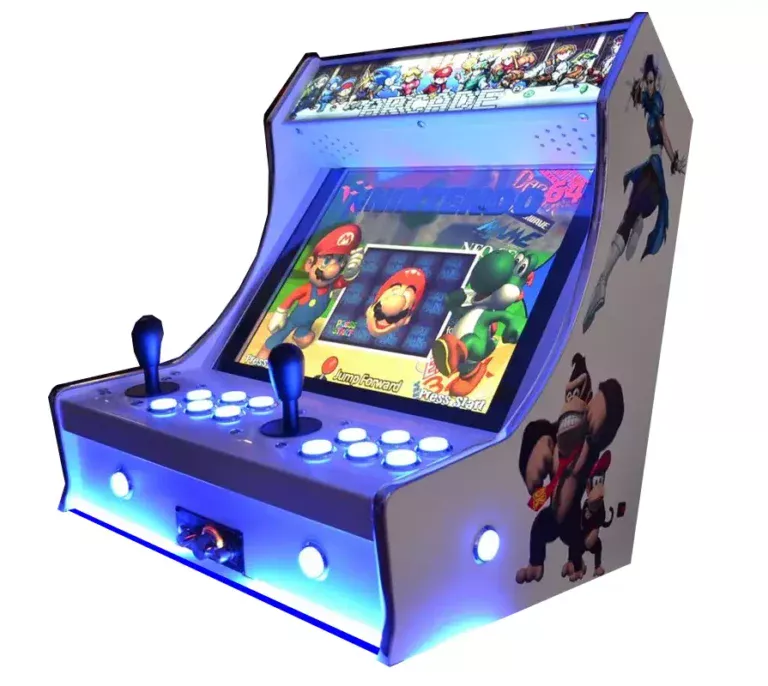
O projeto de preservação definitivo. O MAME (Multiple Arcade Machine Emulator) traz a era dourada das máquinas de arcada diretamente para o teu ecrã. Desde os anos 80, com as suas luzes de néon, até ao boom dos jogos de luta competitivos dos anos 90, o hardware de arcada sempre representou a vanguarda da tecnologia dos jogos. Com o Rec0m88, podes jogar jogos retro a partir de milhares de placas de jogos de arcada lendárias, com precisão perfeita, shaders de scanline e um modo multijogador online impecável, sem nunca precisar de uma moeda.
A Idade de Ouro das Máquinas a Moedas
Os jogos de arcada foram concebidos para serem visualmente impressionantes, extremamente difíceis e intensamente sociais. Desde os jogos de labirinto do início dos anos 80 até às máquinas de jogos de luta para 4 jogadores dos anos 90, o MAME preserva a história dos jogos.
Os Mestres do Gabinete
A Capcom dominou os anos 90 com o Street Fighter II série, Marvel vs. Capcom, e jogos lendários do género ’beat ’em up» como Alien vs. Predador e Cadillacs e Dinossauros. A placa Neo Geo da SNK proporcionou-nos a perfeição da arte pixelizada com Metal Slug e O Rei dos Lutadores.
Insira uma moeda para aderir
As salas de jogos eram o ponto de encontro original para multijogador. Com o modo de jogo online integrado com WebRTC e função de reversão do Rec0m88, podes recriar a magia de um jogo a 4 jogadores As Tartarugas Ninja ou Os Simpsons gabinete. Basta criar uma sala, partilhar o ID e os teus amigos podem entrar com as suas próprias moedas virtuais a partir de qualquer parte do mundo.
Jogos de arcada mais populares
Como jogar jogos de arcada online com o Rec0m88
O MAME pode parecer intimidante, mas se seguir estes passos, conseguirá que o seu salão de jogos virtual fique a funcionar sem problemas.
Certifique-se de que a ROM `.zip` que descarregou pertence ao conjunto correto. Recomendamos vivamente que utilize FBNeo Conjuntos de ROM para a melhor compatibilidade e jogo online no Rec0m88.
Se estiver a jogar um jogo do Neo Geo ou um jogo específico da Capcom CPS, deve colocar o ficheiro `.zip` da BIOS necessário na mesma pasta que a ROM do jogo.
Os jogos de arcada não arrancam sem dinheiro! Nas definições do teu comando Rec0m88, certifica-te de que mapeias o botão “Select”, que funciona como a ranhura para moedas, e o botão “Start” para o Jogador 1.
Abre o menu de jogo online, adiciona o teu nome, clica em «Criar Sala» e partilha a palavra-passe (se for utilizada) com os teus amigos para jogarem juntos jogos de arcada através da Internet.
Perguntas frequentes sobre a emulação do MAME
Porque é que a minha ROM de arcada não carrega?
Ao contrário das ROMs do SNES ou do Genesis, as ROMs de arcada são altamente específicas em relação à versão do núcleo do emulador. Um jogo copiado para o MAME em 2003 pode não funcionar no FBNeo atual. Deve certificar-se de que o seu .zip O ficheiro provém de um conjunto de ROMs compatível com o núcleo que está a utilizar (por exemplo, “FBNeo Arcade Set”). Não descompacte o ficheiro.
Preciso de um BIOS?
Depende inteiramente da placa de arcada. Os jogos clássicos dos anos 80, como o Pac-Man, não o fazem. No entanto, os jogos que funcionam em hardware da SNK (Metal Slug, King of Fighters) requerem neogeo.zip. Os jogos CPS-2 exigem, por vezes, qsound.zip. Mantém sempre o ficheiro ZIP do BIOS na mesma pasta que os teus jogos.
O que são as cardiopatias congénitas?
CHD significa “Compressed Hunks of Data” (blocos de dados comprimidos). Os jogos de arcada mais recentes (como Killer Instinct ou Street Fighter III) tinham discos rígidos ou CD-ROMs reais dentro da caixa. Para jogar estes jogos, é necessário o ficheiro `.zip` padrão do jogo E o enorme ficheiro de imagem do disco rígido `.chd`, que deve ser colocado numa subpasta específica.
Como é que altero a dificuldade do jogo ou a região?
Numa sala de jogos real, os operadores utilizavam “Dip Switches” físicos na placa-mãe para alterar as vidas, o nível de dificuldade ou a região. Pode aceder aos Dip Switches virtuais no menu «Rec0m88 Core Options» para mudar o jogo do japonês para o inglês ou ativar o modo «Free Play».
Pronto para jogar? Descarregar o Rec0m88 gratuitamente e comece hoje mesmo o seu salão de jogos virtual.