MAME (Multiple Arcade Machine Emulator)
MAME & Arcade
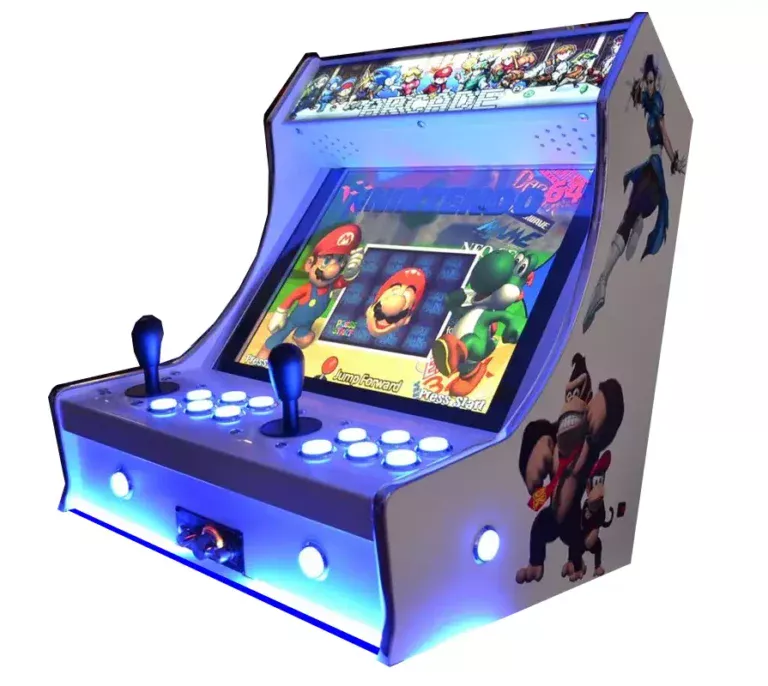
Het ultieme restauratieproject. MAME (Multiple Arcade Machine Emulator) brengt het gouden tijdperk van de muntkastjes rechtstreeks naar je scherm. Van de neonverlichte jaren ’80 tot de hausse aan competitieve vechtgames in de jaren ’90: arcadehardware stond altijd aan de voorhoede van de gametechnologie. Met Rec0m88 kun je retro spelletjes spelen van duizenden legendarische arcade-kaarten, met perfecte nauwkeurigheid, scanline-shaders en vlekkeloze multiplayer-netplay, zonder dat je er ook maar één kwartje voor hoeft te betalen.
De gouden eeuw van de speelautomaten
Arcadespellen werden ontworpen om visueel indrukwekkend, meedogenloos moeilijk en uiterst sociaal te zijn. Van de doolhofspellen uit de vroege jaren ’80 tot de beat ’em up-kasten voor vier spelers uit de jaren ’90: MAME houdt de geschiedenis van het gamen in stand.
De meesters van het kabinet
Capcom domineerde de jaren ’90 met de Straatvechter II serie, Marvel vs. Capcom, en legendarische beat ’em ups zoals Alien vs. Predator en Cadillacs en dinosaurussen. Het Neo Geo-platform van SNK leverde ons pixelkunst van de hoogste kwaliteit met Metalen slak en The King of Fighters.
Gooi een muntje in om mee te doen
Speelhallen waren de eerste ontmoetingsplaats voor multiplayer-spellen. Met de door Rec0m88 geïntegreerde WebRTC-rollback-netplay kun je de magie van een spel met vier spelers opnieuw beleven Teenage Mutant Ninja Turtles of De Simpsons kabinet. Maak gewoon een kamer aan, deel de ID, en je vrienden kunnen van over de hele wereld hun eigen virtuele kwartjes inwerpen.
Meest populaire arcadespellen
Hoe speel je online arcadespellen met Rec0m88?
MAME kan wat intimiderend zijn, maar als je deze stappen volgt, krijg je je virtuele speelhal snel en soepel aan de praat.
Zorg ervoor dat de `.zip`-ROM die je hebt gedownload bij de juiste set hoort. We raden ten zeerste aan om FBNeo ROM-sets voor de beste compatibiliteit en online spelen op Rec0m88.
Als je een Neo Geo-spel speelt, of een specifiek Capcom CPS-spel, moet je het benodigde BIOS-`.zip`-bestand in dezelfde map plaatsen als je spel-ROM.
Arcadespellen starten niet zonder geld! Zorg ervoor dat je in de instellingen van je Rec0m88-controller de “Select”-knop toewijst aan de muntgleuf en de “Start”-knop aan speler 1.
Open het netplay-menu, voeg je naam toe, klik op ‘Create Room’ en deel het wachtwoord (indien van toepassing) met je vrienden om samen via internet arcadespellen te spelen.
Veelgestelde vragen over MAME-emulatie
Waarom wordt mijn arcade-ROM niet geladen?
In tegenstelling tot SNES- of Genesis-ROM’s zijn arcade-ROM’s sterk afhankelijk van de versie van de emulatorkern. Een spel dat in 2003 voor MAME is gedumpt, werkt mogelijk niet op de moderne versie van FBNeo. Je moet ervoor zorgen dat je .zip Het bestand is afkomstig uit een ROM-set die overeenkomt met de core die je gebruikt (bijvoorbeeld “FBNeo Arcade Set”). Pak het bestand niet uit.
Heb ik een BIOS nodig?
Dat hangt volledig af van de arcade-kaart. Klassieke spellen uit de jaren ’80, zoals Pac-Man, hebben dat niet nodig. Spellen die op SNK-hardware draaien (Metal Slug, King of Fighters) vereisen echter neogeo.zip. Voor CPS-2-spellen is soms het volgende nodig: qsound.zip. Bewaar het BIOS-zipbestand altijd in dezelfde map als je games.
Wat zijn CHD’s?
CHD staat voor “Compressed Hunks of Data”. Latere arcadespellen (zoals Killer Instinct of Street Fighter III) hadden daadwerkelijk harde schijven of cd-roms in de behuizing. Om deze te spelen, heb je het standaard `.zip`-bestand van het spel nodig EN het enorme `.chd`-bestand met de harde-schijfimage, dat in een specifieke submap moet worden geplaatst.
Hoe kan ik de moeilijkheidsgraad of de regio van het spel aanpassen?
In een echte speelhal gebruikten exploitanten fysieke “DIP-schakelaars” op het moederbord om het aantal levens, de moeilijkheidsgraad of de regio aan te passen. Je kunt de virtuele DIP-schakelaars openen via het menu ‘Rec0m88 Core Options’ om je spel van het Japans naar het Engels om te schakelen of om ‘Free Play’ in te schakelen.
Klaar om te spelen? Download Gratis Rec0m88 en start vandaag nog je virtuele speelhal.