Rec0m88 – The Ultimate Retro Gaming Emulator – With Netplay!

Rec0m88

The Ultimate Retro Gaming Emulator with seamless Netplay. Rediscover the classics on Windows, macOS, and Linux.

Je OS detecteren...
Emulation powered by EmulatorJS — by Ethan O’Brien

Why Choose Rec0m88?

Built for gamers, by gamers. Experience retro gaming like never before.

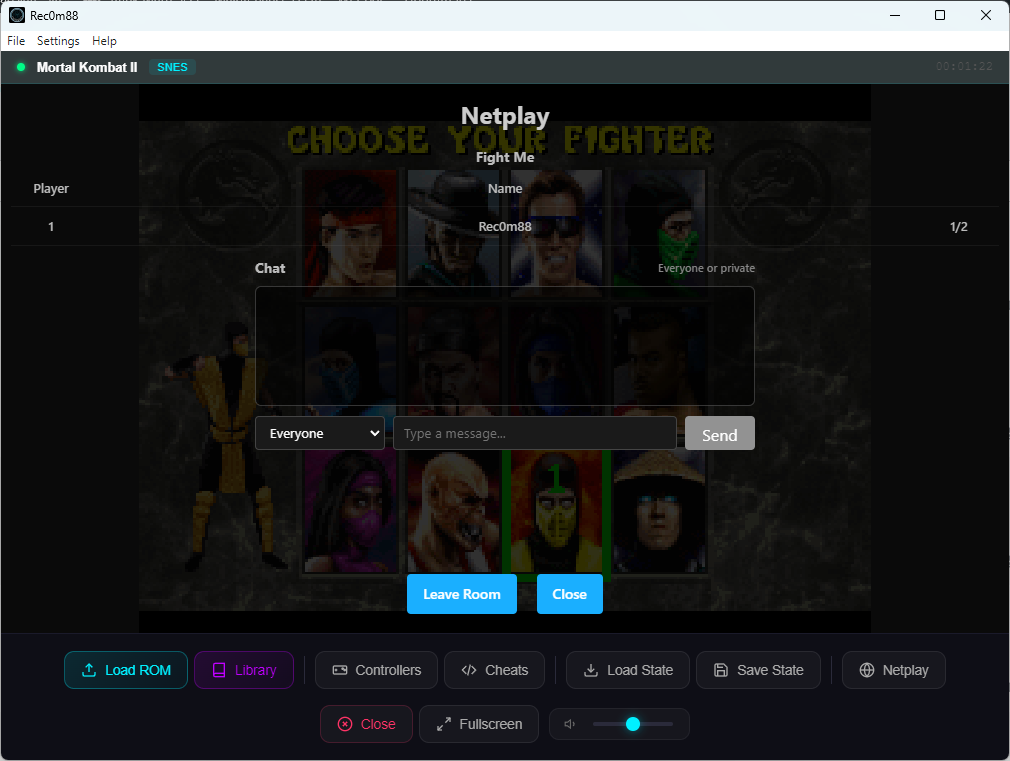
Naadloos samenspel

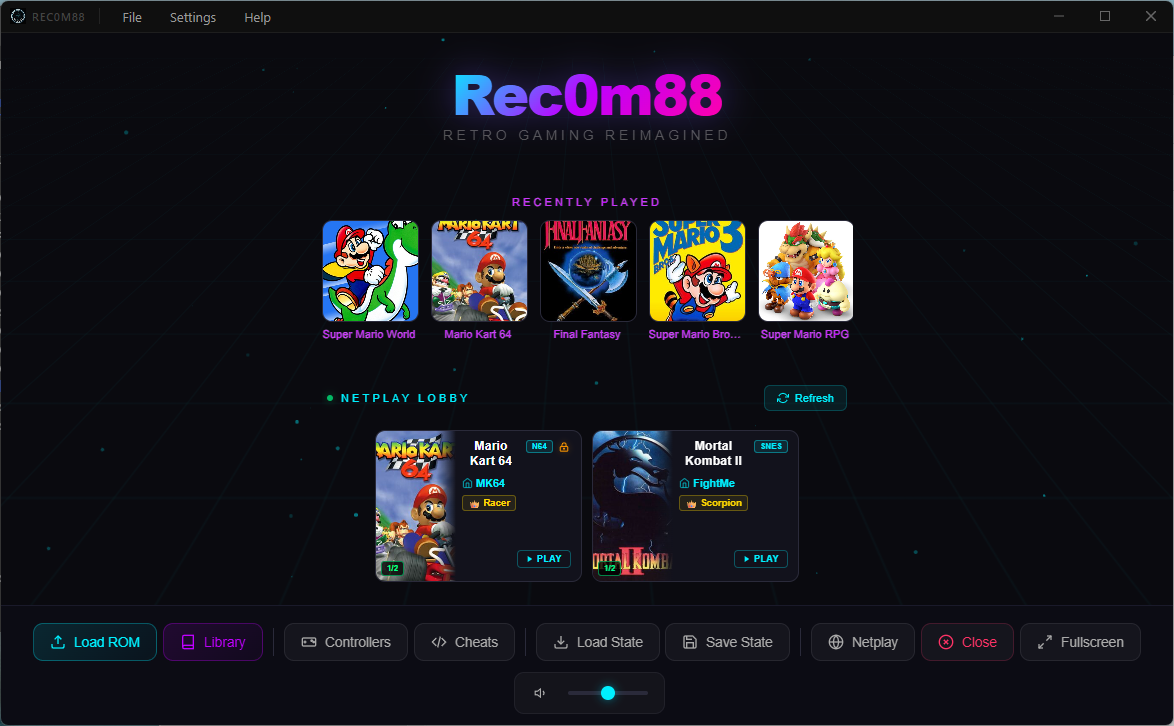
Connect with friends and relive your favorite multiplayer games online with our simple and secure netplay server.

Note: For netplay to work, all players must be using the exact same game file.

Staten opslaan en laden

Never lose your progress again. Instantly save your exact spot in any game and load it back up anytime.

Platformoverschrijdend

Built for everyone. Enjoy the same great experience whether you’re on Windows, macOS, or Linux.

Supported Systems

18 classic consoles, one powerful emulator.

Atari 2600 Atari 7800 Atari Lynx Game Boy Game Boy Advance Game Boy Color NES Nintendo 64 Nintendo DS PC-engine PlayStation Sega 32X Sega Game Gear Sega Genesis Sega Master Systeem Super Nintendo Virtuele jongen WonderSwan
Available Since v3.0

Game Library Manager

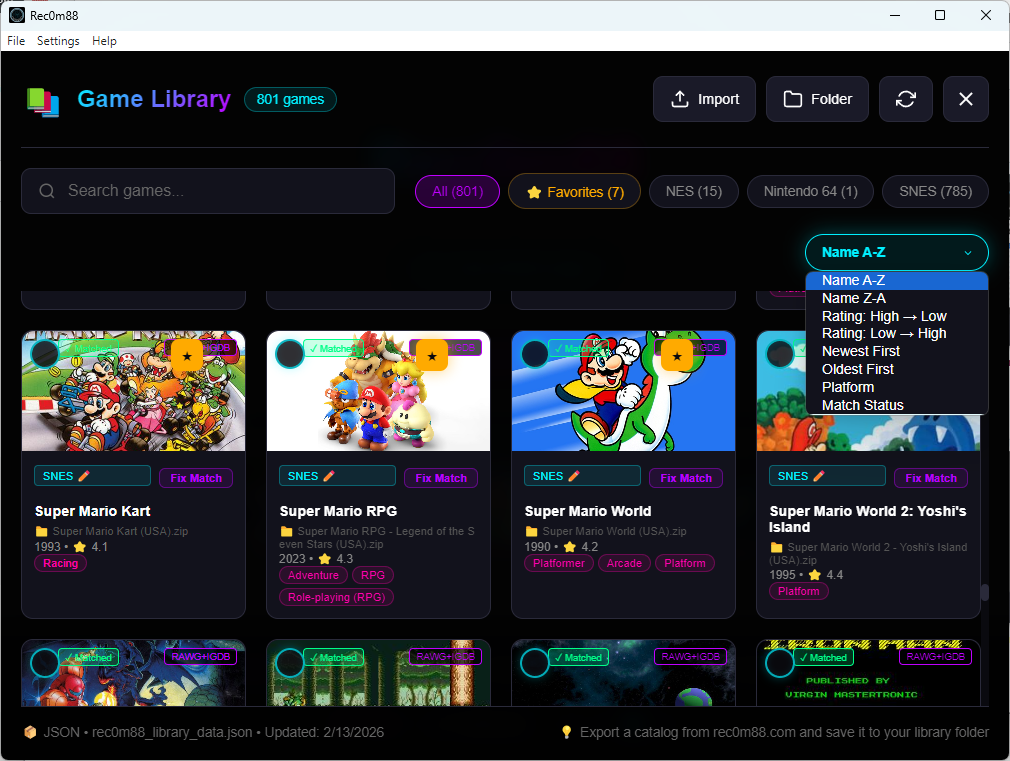
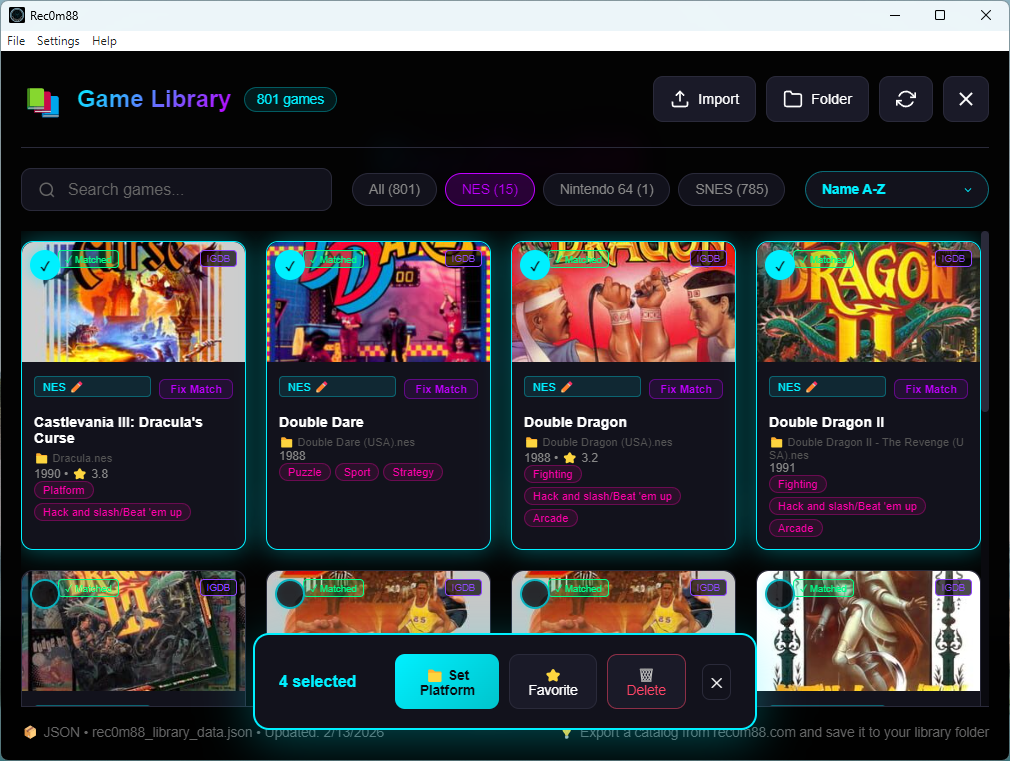
Manage your ROM library right inside Rec0m88! Organize, browse, and launch your games with beautiful cover art and detailed information.

Organize ROMs

Sort by system, genre, or favorites

Cover Art

Beautiful game covers auto-fetched

Favorites

Quick access to your top games

Search

Find any game instantly

Fix Matches

Correct RAWG or IGDB game matches

Delete Entry

Remove games from DB, keep your ROMs

ROM Library Organizer

Inhoud en configuratie laden

Rec0m88 automatically detects the system for any game based on its file extension (e.g., .sfc, .psx). For systems that require a BIOS file, the game will not launch until the correct file is configured.

.zip-bestanden worden ook ondersteund. If you load a .zip file, you will be prompted to choose the correct system from a list.

How to Set a BIOS File

  1. From the top menu bar, navigate to Settings → BIOS.
  2. Ga in de lijst die verschijnt met je muis over het systeem dat je wilt configureren (bijvoorbeeld PSX).
  3. A sub-menu will open. Click on Change…
  4. Er verschijnt een venster met een bestandsbrowser. Zoek het juiste BIOS-bestand op je computer en selecteer het.
  5. De status wordt bijgewerkt van “Niet ingesteld” en je bent klaar om games te spelen voor dat systeem!

How to Configure API Keys (RAWG & IGDB)

To enable automatic game cover art and metadata fetching in the Game Library Manager, you’ll need to configure your RAWG and/or IGDB API keys. These services provide the game information and artwork that makes your library look amazing.

Setting Up Your API Keys

  1. From the top menu bar, navigate to Settings → APIs.
  2. You’ll see input fields for both RAWG API-sleutel en IGDB API Key.
  3. Enter your API key(s) in the corresponding field(s).
  4. Klik op Save to apply your changes.
  5. The Game Library Manager will now fetch cover art and game details automatically!

Don’t have API keys yet? Visit our detailed guide to learn how to obtain free API keys from both RAWG and IGDB:

Get Your API Keys – Full Instructions

How to Add & Edit Cheat Files (v1.1.1+)

Rec0m88 uses JSON files to store and load cheat codes. These files are saved in a persistent user data folder, which means they will not be deleted, reverted, or removed when the application updates.

  1. From the top menu bar, navigate to Settings.
  2. Click on Open Cheats Folder.
  3. De bestandsverkenner van je besturingssysteem opent de map met de cheat JSON-bestanden (bijv, psx.json, snes.json).
  4. Je kunt de JSON-bestanden nu naar behoefte bewerken, toevoegen of verwijderen. Rec0m88 leest automatisch de bijgewerkte bestanden bij het opstarten of wanneer een spel wordt geladen.

Disclaimer: Rec0deD:88 does not provide and is not affiliated with the distribution of BIOS files or game ROMs. Users are responsible for sourcing their own legally-obtained files.

Downloaden Rec0m88

Rec0m88 is helemaal gratis. Download de nieuwste versie voor uw besturingssysteem hieronder.

Installatiegids

Installeren op Windows

  1. Downloaden Rec0m88-Setup.exe bestand.
  2. Zoek het gedownloade bestand in uw Downloads map.
  3. Dubbelklik op de .exe bestand om het installatieprogramma uit te voeren.
  4. Volg de aanwijzingen op het scherm om de installatie te voltooien. Mogelijk ziet u een waarschuwing voor Windows Defender SmartScreen; klik op “Meer info” en vervolgens op “Toch uitvoeren”.”

Installeren op macOS

  1. Downloaden .dmg bestand.
  2. Open het gedownloade bestand. Er verschijnt een nieuw venster.
  3. Sleep de Rec0m88.app pictogram in uw Toepassingen map.
  4. Belangrijk: De eerste keer dat je de app opent, moet je er met de rechtermuisknop (of Control-klik) op klikken en selecteren Open uit het menu.
  5. Er verschijnt een waarschuwingsvenster. Klik op de Open om te bevestigen.
  6. Als de app nog steeds geblokkeerd is, open dan SysteeminstellingenPrivacy en veiligheid.
  7. Scroll naar beneden naar het gedeelte “Beveiliging”. Je ziet een bericht over “Rec0m88”. Klik op de Toch toestaan of Toch open knop.
  8. Je zou Rec0m88 nu normaal moeten kunnen openen vanuit je map Toepassingen of Launchpad.

Installeren op Linux (AppImage)

AppImages zijn afzonderlijke, op zichzelf staande bestanden die op de meeste Linux-distributies draaien zonder installatie.

Eerste installatie:

  1. Downloaden .appafbeelding bestand voor uw systeemarchitectuur (bijv, Rec0m88-amd64.AppImage).
  2. Open je bestandsbeheer en navigeer naar het gedownloade bestand.
  3. Make it Executable: Right-click the file, go to Properties (or Permissions), and check the box that says “Allow executing file as program” or “Is executable”.
  4. Alternatively, use the terminal:
    chmod +x Rec0m88.AppImage
  5. Dubbelklik op het AppImage-bestand om Rec0m88 uit te voeren.

Toevoegen aan je menu/taakbalk Toepassingen:

Om Rec0m88 eenvoudig te starten zoals elke andere applicatie, kun je een tool zoals AppImageLauncher gebruiken (aanbevolen) of handmatig een bureaubladinvoerbestand maken.

  • AppImageLauncher: Install this utility once. When you open Rec0m88 for the first time, it will prompt you to integrate it into your system.
  • Manual Integration: Move the .appafbeelding file to ~Toepassingen/. Many modern Linux environments will automatically pick up the application.

Rec0m88 bijwerken:

  1. Download de nieuwste .appafbeelding bestand van de bovenstaande link.
  2. Vervang de oude .appafbeelding file with the new one.
  3. That’s it! Your settings and save files are stored separately.

Changelog

  • v3.1.0 (2/13/2026)
    • UI Enhancements
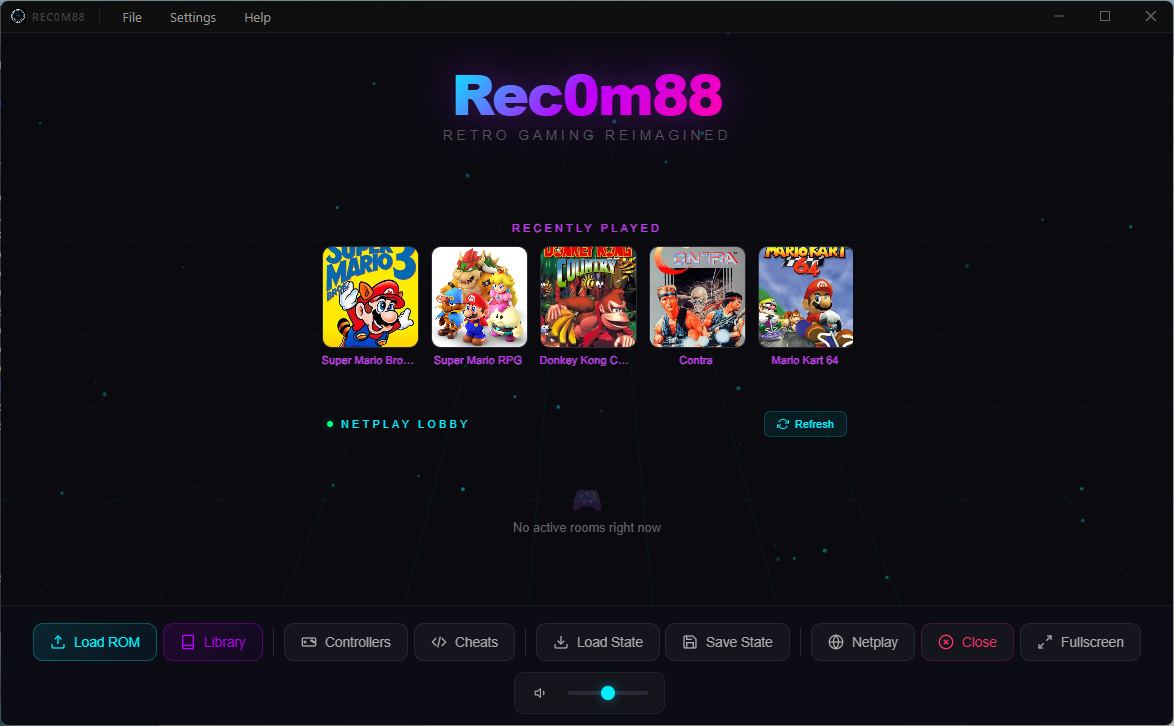
    • NEW: Recently Played Games Strip — Shows last 5 games with thumbnails on the idle screen
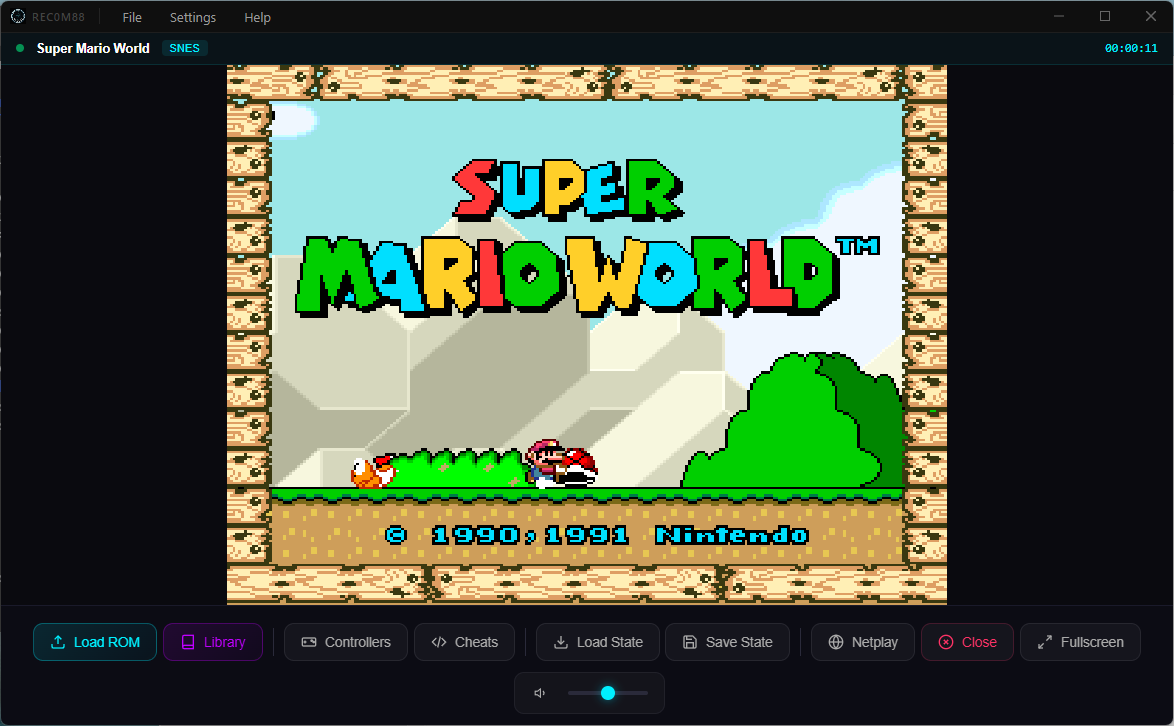
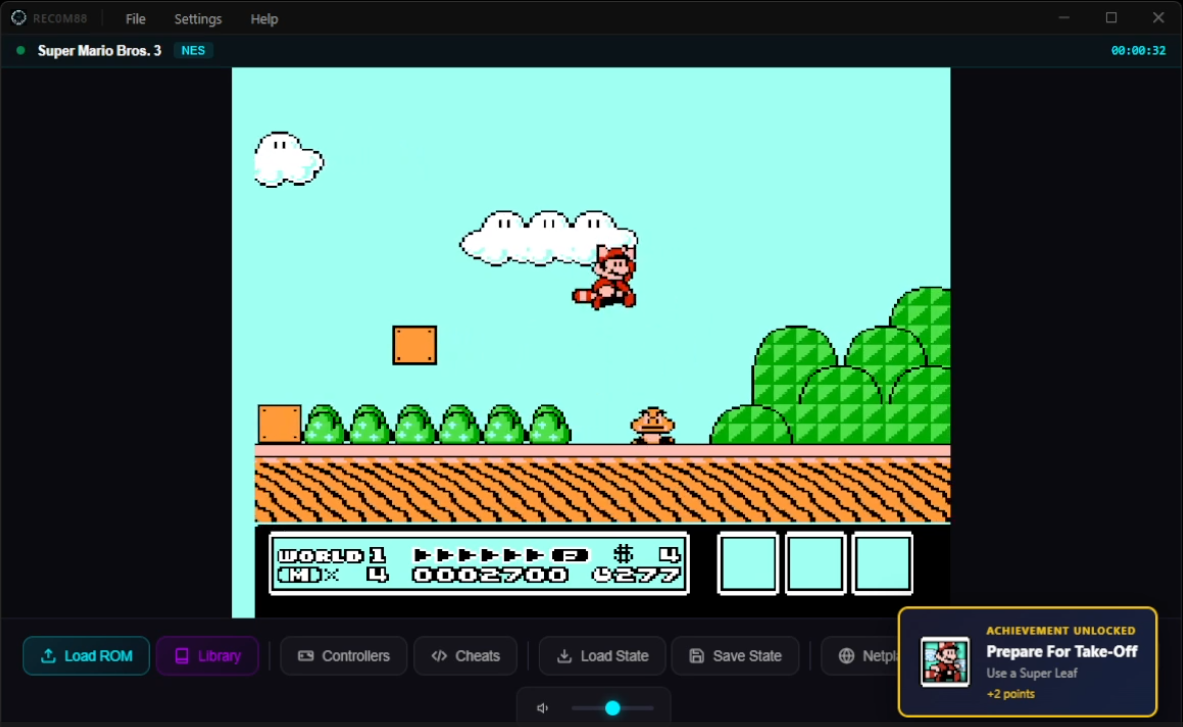
    • NEW: Now Playing Status Bar — Shows game title, platform badge, and live play timer above the game area
  • v3.0.0 (2/11/2026)
    • NEW: Game Library Manager
    • Manage your ROM library right inside Rec0m88!
    • Featuring game covers and details!
    • Get started with our ROM Library Organizer
  • v2.1.0 (2/2/2026)
    • MASSIEVE netplay herstructurering voor superieur netplay!
    • NEW: Added netplay messaging!
    • Netplay guest audio fix
    • MASSIVE cheats file update with working codes
  • v2.0.0 (1/13/2026)
    • Moved to our own domain! Rec0m88.com
    • Netplay stability fix – now lagless (depending on your connection)
    • Netplay audio fix
    • Netplay video shift fix
  • v1.1.1 (11/07/2025)
    • Cheat files are now editable
    • Fixed save state naming inconsistency
    • Switched back to AppImage builds for Linux
  • v1.1.0 (10/29/2025)
    • Backend emulator performance enhancements
    • Ondersteuning voor cheatcodes toegevoegd
    • Added embedded cheat codes for NES, SNES, N64, Sega Genesis, and PlayStation
  • v1.0.4 (09/30/2025)
    • Netplay performance and stability enhancements
  • v1.0.3 (09/12/2025)
    • Changed Linux build from AppImage to .deb package
    • Added automatic update checking on startup
    • Added manual “Check for Updates” in Settings menu
  • v1.0.2 (09/09/2025)
    • Fixed netplay host canvas centering
    • Resolved ‘About’ window issue on macOS
    • Implemented alphabetical sorting of BIOS menu
  • v1.0.1 (09/06/2025)
    • Initial public release of Rec0m88

Statistieken downloaden

Aan het laden...
Total Downloads
... Windows
... macOS
... Linux

Powered by EmulatorJS

Emulation Engine EmulatorJS
EmulatorJS: RetroArch on the web © 2022-2024 Ethan O’Brien GitHub Repository  •  emulatorjs.org Rec0m88 desktop adaptation, WebRTC Netplay & Dynamic Cheats by @s-coding23 — an EmulatorJS contributor