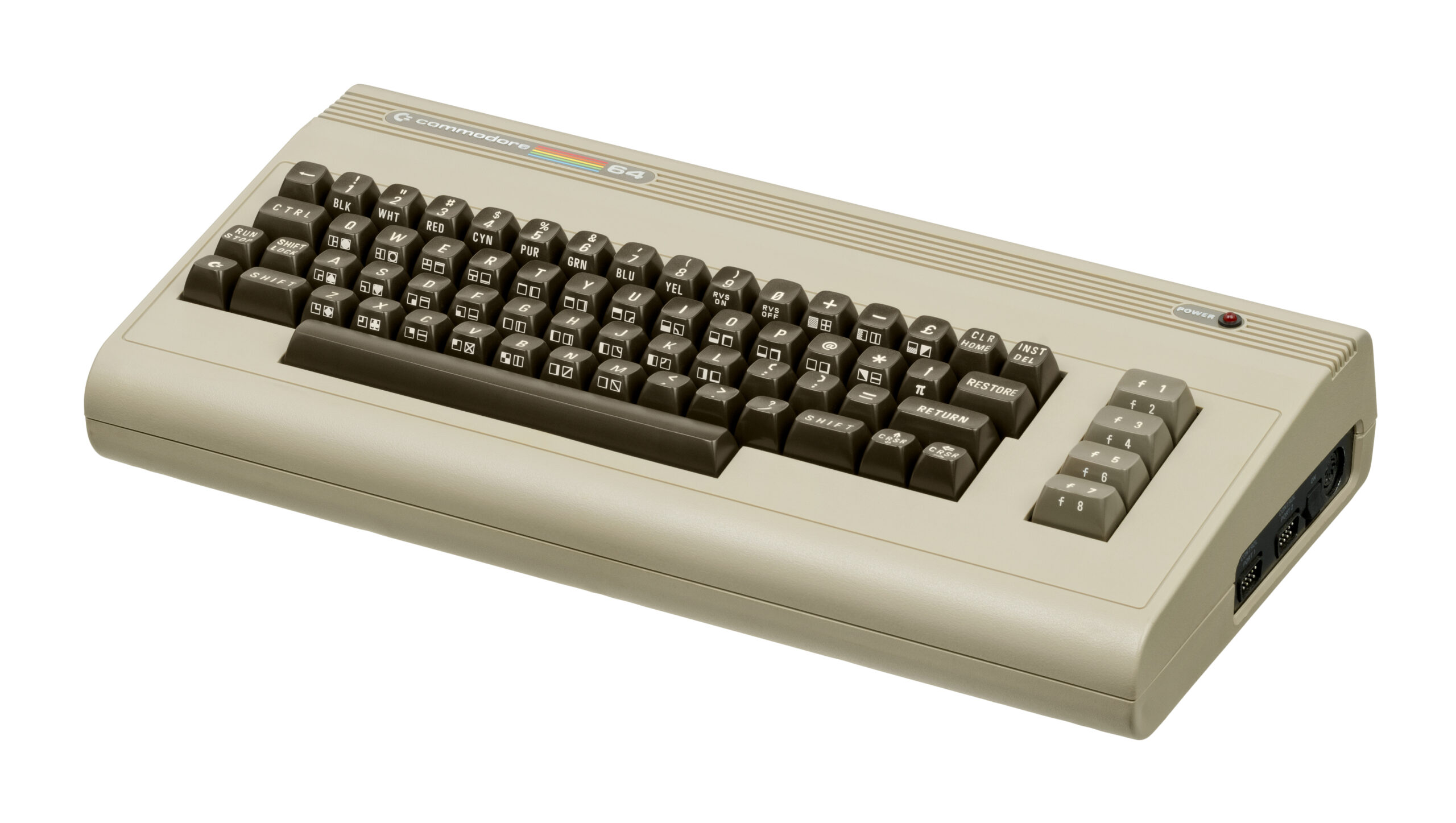
Commodore 64

C64 (Commodore 64)

Commodore 64 (C64)

The highest-selling single computer model of all time. Released in 1982, the Commodore 64 brought affordable computing and incredible gaming into millions of living rooms. With Rec0m88, you can jugar a juegos retro from the golden age of microcomputers effortlessly, bypassing complex keyboard commands with streamlined emulation, virtual joysticks, and netplay support.

Arquitectura de hardware

The C64 is powered by the 8-bit MOS Technology 6510 CPU running at roughly 1 MHz, boasting 64 KB of RAM—a massive amount for its era. Graphics were handled by the VIC-II chip, which supported a 16-color palette, smooth hardware scrolling, and 8 independent hardware sprites.

However, the system’s true legendary status comes from its audio. The SID (Sound Interface Device) chip is a full-fledged analog synthesizer on a chip. Featuring three independent audio channels with ADSR envelopes and variable waveforms, it birthed the entire “chiptune” music scene that thrives to this day.

  • CPU & RAMMOS 6510 @ 1.02 MHz / 64 KB RAM
  • Audio & VideoSID 6581/8580 Chip & VIC-II
  • Formatos multimedia.d64 .t64 .crt .prg (.zip/.7z supported)

Rec0m88 C64 Emulation

Rec0m88 utilizes the venerable VICE (x64sc) core via the EmulatorJS framework. This provides highly accurate emulation of both PAL and NTSC systems, ensuring that European demoscene productions and North American classics run exactly as intended.

SYSTEM ROM REQUIREMENTS

To accurately emulate the C64, the VICE core requires the original system ROMs. You need to place the basic, chargen, y kernal files into a vice subfolder within your Rec0m88 bios directory.

Modern features include virtual keyboard overlays for controller users, automatic loading of games (bypassing the dreaded `LOAD “*”,8,1` commands), and fast-forwarding to skip the notoriously long cassette tape loading times.

The Microcomputer Revolution

The C64 had a diverse, massive library filled with pioneering genres, from the birth of the point-and-click adventure to brutal action platformers.

Pioneering Classics

Experience early LucasArts magic with Maniac Mansion y Zak McKracken. Test your reflexes with European run-and-gun masterpieces like Turrican y Commando. Puzzle your way through Boulder Dash, or attempt the legendary acrobatics of Impossible Mission (“Stay awhile… stay forever!”).

Computer Multiplayer

Because the C64 featured two joystick ports, local multiplayer was huge. Using Rec0m88’s WebRTC netplay, you can host lag-free online sessions of early competitive classics like M.U.L.E., Archon: The Light and the Dark, Bruce Lee, y Bubble Bobble.

Most Popular C64 Games

Maniac Mansion
Aventura
Turrican
Corre y dispara
Bubble Bobble
Plataformas
Boulder Dash
Rompecabezas
Commando
Acción
Impossible Mission
Juego de plataformas y acción

How to Play C64 Games Online with Rec0m88

Computer emulation can be daunting, but Rec0m88 automates disk loading and joystick configuration so you can jump straight into the action.

Paso 01
Instalar archivos del BIOS
kernal / basic / chargen

Place the required C64 ROM files into a vice folder inside your Rec0m88 bios directory.

Paso 02
Load Your Game
.d64 / .crt / .t64

Drag and drop your game file into Rec0m88. The emulator will attempt to automatically run the load command and launch the game for you.

Paso 03
Map Joysticks
Port 1 vs Port 2

Many C64 games use Joystick Port 2 for Player 1. If your controller isn’t working, open the core options and swap the active joystick port.

Paso 04
Juego en red como anfitrión
WebRTC · Compartir ID

Utilize our P2P WebRTC architecture. Open the netplay menu, add your name, click Create Room, and share the ID with your friends to play C64 multiplayer titles together.

C64 Emulation FAQ

Why isn’t my controller working in the game?

A famous quirk of the original C64 hardware is that a vast majority of single-player games expect the joystick to be plugged into Port 2. In the Rec0m88 input settings, ensure your primary controller is mapped to Port 2 if the character won’t move.

How do I skip the long loading screens?

If you are playing a game from a .t64 (tape cassette) or .d64 (floppy disk) format, the emulator simulates the original drive speed. You can map a “Fast Forward” button in the Rec0m88 settings to speed up the emulator dramatically while loading.

The game is asking me to press a keyboard key (like Space or F1).

Because it was a computer, many games require keyboard inputs to start. You can simply use your PC’s actual keyboard to press these keys, or bring up the Virtual Keyboard overlay in the emulator menu if you are playing exclusively with a gamepad.

Which file format is best?

If a game was released as a cartridge (.crt), it is usually the best format as it loads instantly. Otherwise, .d64 (disk images) are the standard and most reliable way to play C64 games.

¿Listo para jugar? Descargar Rec0m88 gratis and experience the golden age of microcomputers today.
Publicaciones similares

  • Sega Saturn

    Enciclopedia de consolas retro: Sega Saturn. El rey indiscutible de los gráficos 2D de 32 bits y el logro de hardware más complejo de Sega. Lanzada en 1994, la Sega Saturn ofreció juegos de lucha con la misma calidad que los de las máquinas recreativas, shooters revolucionarios y un catálogo japonés sin igual. Con Rec0m88, puedes jugar a juegos retro de la era Saturn de forma nativa en tu computadora de escritorio, dominando su legendaria arquitectura de doble CPU…

  • MAME (Emulador de máquinas recreativas múltiples)

    Enciclopedia de consolas retro: MAME y arcade. El proyecto de conservación definitivo. MAME (Multiple Arcade Machine Emulator) te trae la edad de oro de las máquinas recreativas directamente a tu pantalla. Desde los años 80, con sus luces de neón, hasta el auge de los juegos de lucha competitivos de los 90, el hardware arcade siempre ha representado la vanguardia de la tecnología de los videojuegos. Con Rec0m88, puedes jugar a juegos retro…

  • Sega Game Gear

    Enciclopedia de consolas retro: Sega Game Gear. La consola portátil de 8 bits que introdujo el color y la pantalla retroiluminada en la guerra de las consolas portátiles. Lanzada en Japón en 1990 y en Norteamérica en 1991, la Sega Game Gear era una auténtica potencia en formato de bolsillo. Con Rec0m88, puedes jugar a juegos retro de la biblioteca de Game Gear en tu gran…

  • NES (Nintendo Entertainment System)

    Enciclopedia de consolas retro: Nintendo Entertainment System (NES) La consola que revitalizó una industria. Explora la arquitectura de 8 bits, el legendario catálogo de juegos y los detalles técnicos de la NES. Con Rec0m88, puedes jugar a juegos retro de la era de la NES con emulación de precisión de ciclo, compatibilidad con sombreadores CRT y juego en red P2P sin interrupciones. Sin configuraciones. Sin latencia. Solo pura nostalgia de 8 bits. Hardware…

  • Panasonic 3DO

    Enciclopedia de consolas retro: 3DO Interactive Multiplayer. La ambiciosa y costosa pionera de 32 bits de la era del CD-ROM. Lanzada en 1993, la 3DO prometía una revolución multimedia, llevando a los hogares vídeo de movimiento completo (FMV) de una nitidez cristalina y gráficos 3D de vanguardia. Con Rec0m88, puedes jugar a juegos retro de la legendaria biblioteca de la 3DO directamente en tu escritorio, con todas las funciones…

  • N64 (Nintendo 64)

    Enciclopedia de consolas retro: Nintendo 64 (N64) La consola que marcó el inicio de la revolución 3D. Lanzada en 1996, la Nintendo 64 fue pionera en los entornos 3D reales, introdujo el joystick analógico moderno e hizo del modo multijugador local para cuatro jugadores un estándar. Con Rec0m88, puedes jugar a juegos retro de la era de los 64 bits de forma nativa en tu computadora de escritorio, con escalado a alta resolución, …

Deja un comentario

Tu dirección de correo electrónico no será publicada. Los campos obligatorios están marcados con *